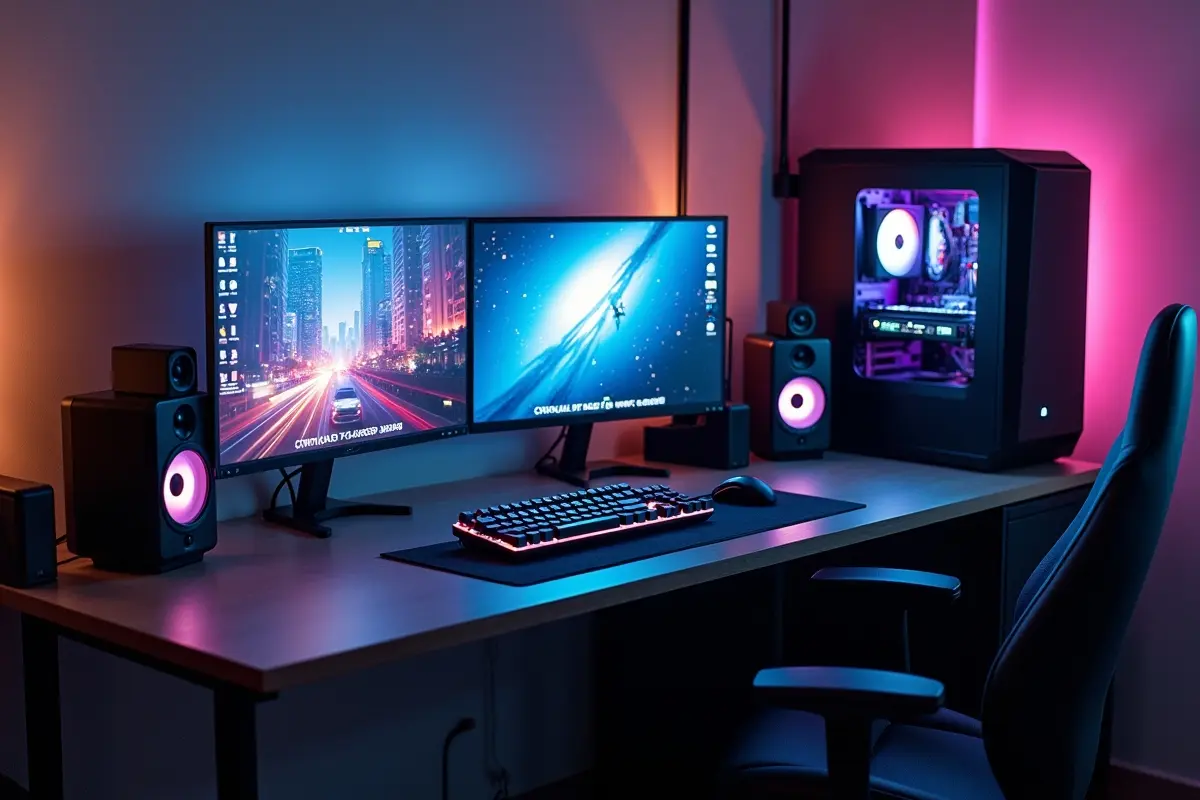
Creating a computing environment that balances both productivity and entertainment requires careful planning and consideration for the PC setup. A well-optimized setup can transform everyday tasks into seamless experiences while also providing the power and flexibility needed for gaming, creative work, and multimedia consumption.
Selecting the right components, from processors and graphics cards to storage solutions and peripherals, plays a crucial role in ensuring smooth performance across diverse applications. Attention to ergonomics, display quality, and peripheral layout further enhances the experience, allowing users to work efficiently and enjoy immersive entertainment without compromise.
For those who prefer a more streamlined approach, prebuilt PCs can serve as a practical solution. These systems offer ready-to-use configurations that combine reliable hardware with tested compatibility, removing much of the guesswork associated with assembling a custom machine.
Whether starting from scratch or enhancing an existing setup, thoughtful choices in hardware and workspace design lay the foundation for a versatile environment that supports both professional productivity and personal enjoyment, creating a setup that adapts to a wide range of needs and activities.
CPU and GPU Selection
Choosing the right processor (CPU) and graphics card (GPU) lays the foundation for a system that handles demanding workloads while delivering smooth performance in graphically intensive applications. Multi-core CPUs provide the multitasking power needed for productivity software—such as design tools, coding environments, or virtual machines—while maintaining speed for gaming or other high-performance tasks.
Similarly, modern GPUs provide sufficient power for high-resolution gaming, as well as creative workflows such as video editing and 3D rendering, and hardware-accelerated features that enhance efficiency across various tasks. Focusing on a balanced combination of CPU and GPU ensures that neither work nor play is compromised, allowing users to switch between different activities without experiencing performance bottlenecks.
Many modern processors and graphics cards also include advanced features, such as hardware-level encoding and AI acceleration, which add tools that enhance both productivity and entertainment experiences.
Memory and Storage
Efficient multitasking between large spreadsheets, virtual meetings, browser tabs, and gaming sessions demands plenty of RAM—this is where capacity truly matters. For most users seeking a setup that’s future-proof and “just works,” 32GB of DDR5 RAM is the ideal sweet spot. This amount provides the headroom to run several resource-intensive applications simultaneously, minimizing slowdowns even when working with large media files or engaging in heavy multitasking.
On the storage side, speed and space go hand in hand. An NVMe PCIe Gen4 SSD, with capacities of 1TB or more, ensures apps and files load almost instantly, and game load screens are a rarity. SSDs also improve responsiveness when handling significant assets, such as RAW photos or 4K video clips.
To supplement this, a secondary mechanical hard drive (HDD) offers an affordable way to store extensive media collections, backups, or an expansive game library. This hybrid approach keeps your operating system and active projects blazing fast, while also meeting long-term storage needs.
Monitor Choices
Choosing a monitor influences both productivity and gaming experiences. For work, a 27-inch 1440p IPS screen offers crisp images and ample space for multitasking, making it ideal for creative tasks. For gaming, consider a second monitor with a refresh rate of at least 144Hz and a low response time for smooth visuals, especially in fast-paced titles.
Support for FreeSync or G-Sync can help eliminate tearing during racing or simulation games. A dual-monitor setup enhances versatility, allowing you to use one for work and the other for gaming or streaming. Adjustable monitor arms offer flexibility, allowing you to tilt and position the screen for optimal comfort and reduced eye strain. Choosing the right features ensures each session is both engaging and comfortable.
Peripherals and Accessories
High-quality peripherals are essential for a well-rounded PC setup, elevating a basic system to one that enhances both efficiency and comfort. An ergonomic mechanical keyboard with customizable switches can boost typing and gaming experiences. Selecting layouts and switches that suit your hand and style is essential.
A high-DPI gaming mouse with programmable buttons improves speed and accuracy for various tasks. A noise-canceling headset enhances remote meetings and helps maintain focus. Personal comfort in peripherals, offered through different shapes and features, is essential for long sessions, as even minor discomfort can reduce productivity and performance.
Ergonomics and Setup
Spending hours at a computer calls for a workspace that promotes your health and enhances productivity. Choose an ergonomic chair with lumbar support and a height-adjustable desk to maintain proper posture and avoid discomfort. Position monitors at or below eye level using stands or adjustable arms to ease neck strain.
Use soft, indirect lighting to minimize glare, and anti-glare screens to reflect less light. Keep cables tidy to prevent tangling and hazards, making cleaning simpler and supporting focus. Incorporate ergonomic input devices such as wrist rests, gel mouse pads, and footrests to reduce strain. Investing in a health-conscious workspace ensures long-term comfort and improved performance.
Budget Considerations
Budgeting is crucial to building a PC that performs well in both professional and gaming domains without exhausting your resources. Begin by prioritizing the components most critical to your needs. Gamers may allocate a larger portion of their budget to a high-end GPU, while those focused on creative or scientific workloads may want to allocate more spending to CPUs and RAM.
However, avoid overspending on one part at the expense of others—a balanced system is nearly always more effective than one with a single standout component. Always research reputable review sites and user feedback to ensure parts deliver value consistent with their cost. Take advantage of seasonal deals, newcomer discounts, or bundles to stretch your budget further.
Sticking to a formula of investing most in what matters for your daily activities ensures every dollar advances your PC’s versatility and capability. Don’t forget peripherals and ergonomic upgrades, as they have a significant impact on your overall experience.
Conclusion
Creating a PC setup that effectively balances work and play requires thoughtful planning, from selecting the right CPU and GPU to optimizing memory, storage, and peripherals. Attention to ergonomics, monitor configuration, and budget considerations ensures both comfort and performance, while prebuilt systems offer a convenient alternative for those seeking tested compatibility.
By prioritizing a balanced approach, users can build a versatile environment that supports productivity, creativity, and entertainment, making every session—whether work-related or recreational—efficient, enjoyable, and future-ready.